Not hours, but work state
It's a paradox: we measure our hardware better than ourselves. We have tools for CPU load, memory, GPU temperature and network traffic — yet at the end of an eight-hour day it's hard to answer a simple question: what did I actually do?
Not how many hours an app was open, but what happened. Where was the focus, what share was real work versus procrastination and context switching, did I take breaks? An hour can be deep flow, procrastination disguised as research, a stall, a call, or an AI session split between prompting and review. So LifeCopilot analyzes the state of the work process, not the time.
Why not just use an existing tool
planners know "how long" but not "in what state". Task managers know what was planned, not what actually happened. Health apps measure sleep and steps but know nothing about "5 hours in the IDE". IDE metrics see code, but not fatigue, breaks or switching.
The market isn't empty — ActivityWatch, WakaTime, RescueTime, Rize are all good. But each answers its own question. I couldn't find a tool that pulls time, projects, focus, breaks, fatigue, posture, git/IDE and billing into one explainable picture.
AI made the day more fragmented
With Cursor, Claude Code, Codex and other AI agents the work day became even more fragmented and loaded. Multi-agent dev tools only amplified it: frequent focus changes, high cognitive load, constant context switching.
That's where the idea of LifeCopilot began. At first it looked like a smart planner plus daily stats — then came the insight that app time alone explains almost nothing.
Why a single magic score is bad
Bad: "5 hours at the PC. Productivity 61%. Fatigue 58%. Draw your own conclusions."
Good: "Of 5 hours, 3.5 were effective. Productivity dropped after 4 PM. Before that, two solid 25-minute focus sessions. Then switching between IDE, browser and messenger grew. A break was skipped three times. Posture started slipping ~40 minutes after the last rest."
If an agent can't explain why it reached a conclusion, it's not an agent — it's a pretty-number generator. Every insight references interpretable signals, every segment carries a confidence, disputed moments go to review, and your manual fixes feed back into the system.
Why it needs agency
For me agency isn't an "LLM wrapper" — it's about proactivity and autonomy, regardless of whether a neural net sits inside. The current version has no LLM at all: all classification, analytics and insights run on rules and heuristics, offline.
The agent collects signals itself, classifies projects, spots anomalies, asks for clarification only when unsure, drafts day summaries and surfaces insights. A good agent doesn't boss you around — it's smart enough to work autonomously and reach out only when there's a real reason.
One signal lies. A series tells the truth
On its own each signal is weak. An active window only says it was focused at that moment. Git says there were changes. AFK says you stepped away. Frequent switching in context can hint at the start of procrastination. The camera says you're starting to slouch and blink less.
Together they build a full picture: here was project work, here frequent switching, here focus recovery, here a disputed segment best confirmed by hand. One signal can lie; a series gives an honest picture of the day.
Privacy-first by design
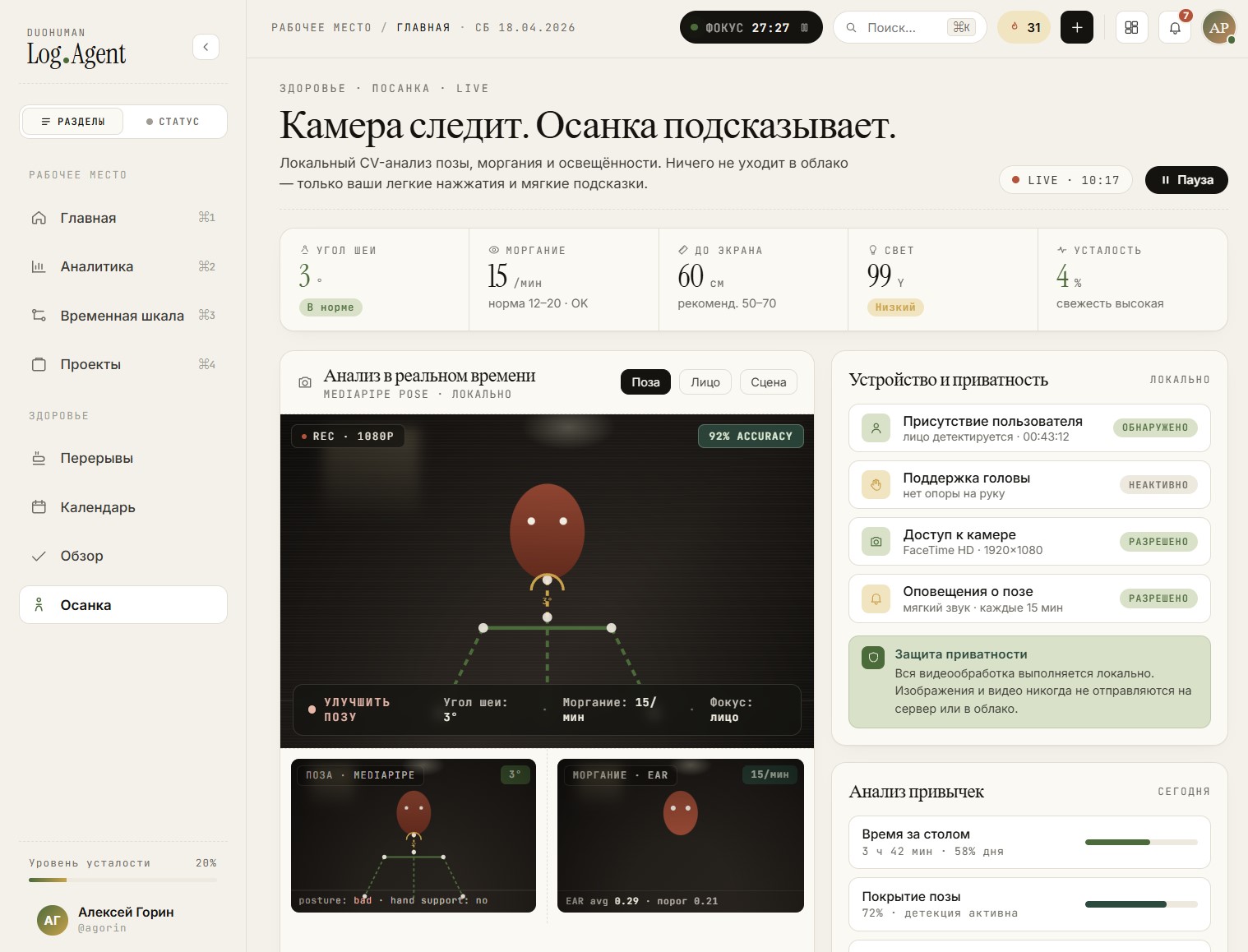
The planning core and local analytics work offline — the agent needs no network at all, not even for the camera video stream. Posture, blink and other cues are computed algorithmically via the local MediaPipe Face Mesh model, frame by frame in memory, with no frames or video ever stored. Only numeric features and events enter history.
It's not only an ethical choice but an engineering one: local is cheaper at scale, faster to respond, and easier to trust. There's no LLM in the core, so the privacy promise holds — there's nowhere for data to leak.
Why the camera, and contextual breaks
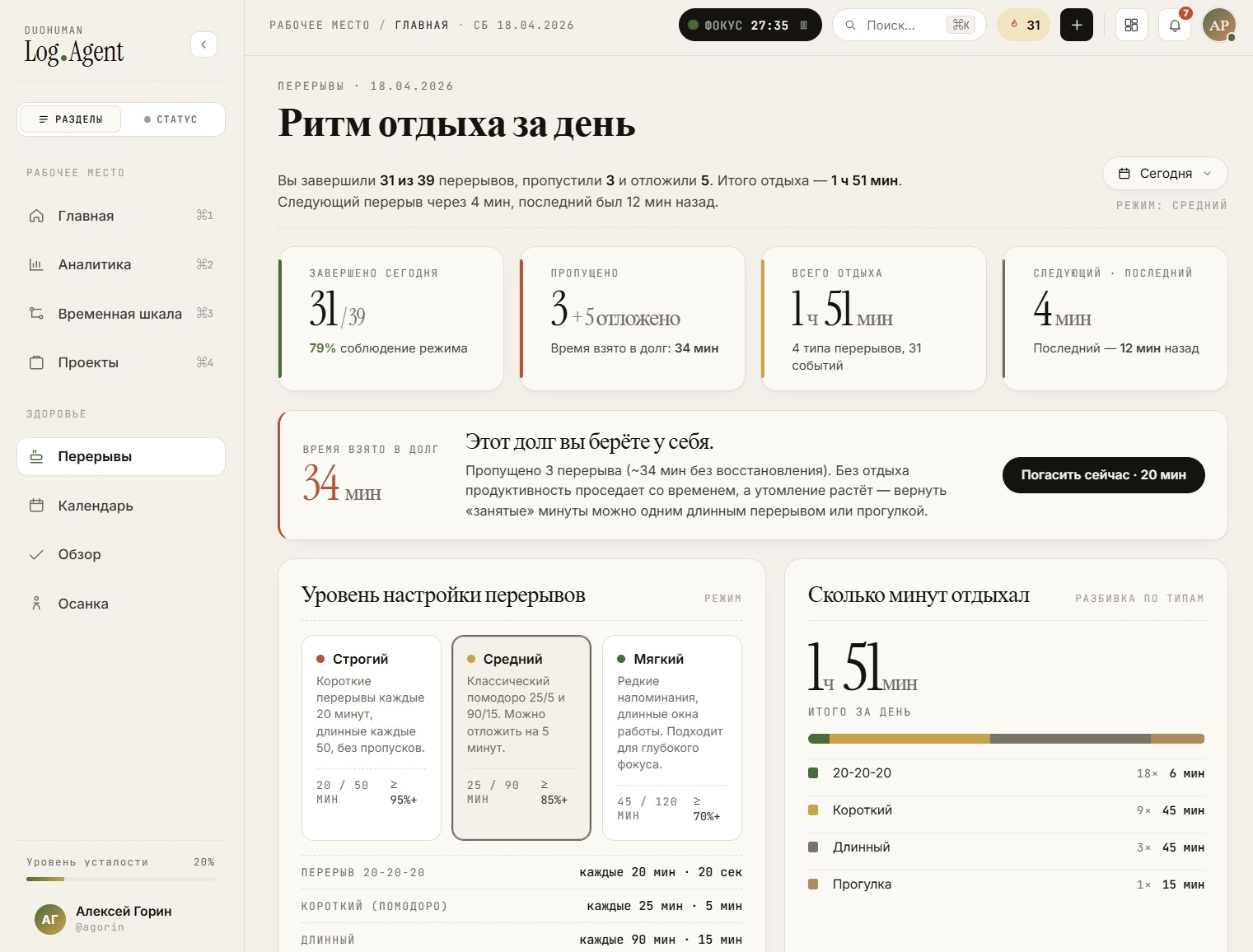
Fatigue shows up before we notice it. First posture changes and slouching appears, then leaning toward the screen, a hand under the head, less blinking, a skipped break — and only then focus drops. Without a camera this is hard to detect well, and the camera can be turned off entirely.
When a set of signals crosses a threshold, the agent doesn't wait — it nudges with a short contextual card that disappears in a couple of seconds, not a full-screen modal. It's not blind pomodoro on a timer: classic timing is one available mode, but by default nudges are signal-based, and thresholds are tunable. Guidance aligns with NIOSH / CDC / OSHA; LifeCopilot is not a doctor.
AI-native work is a new blind spot
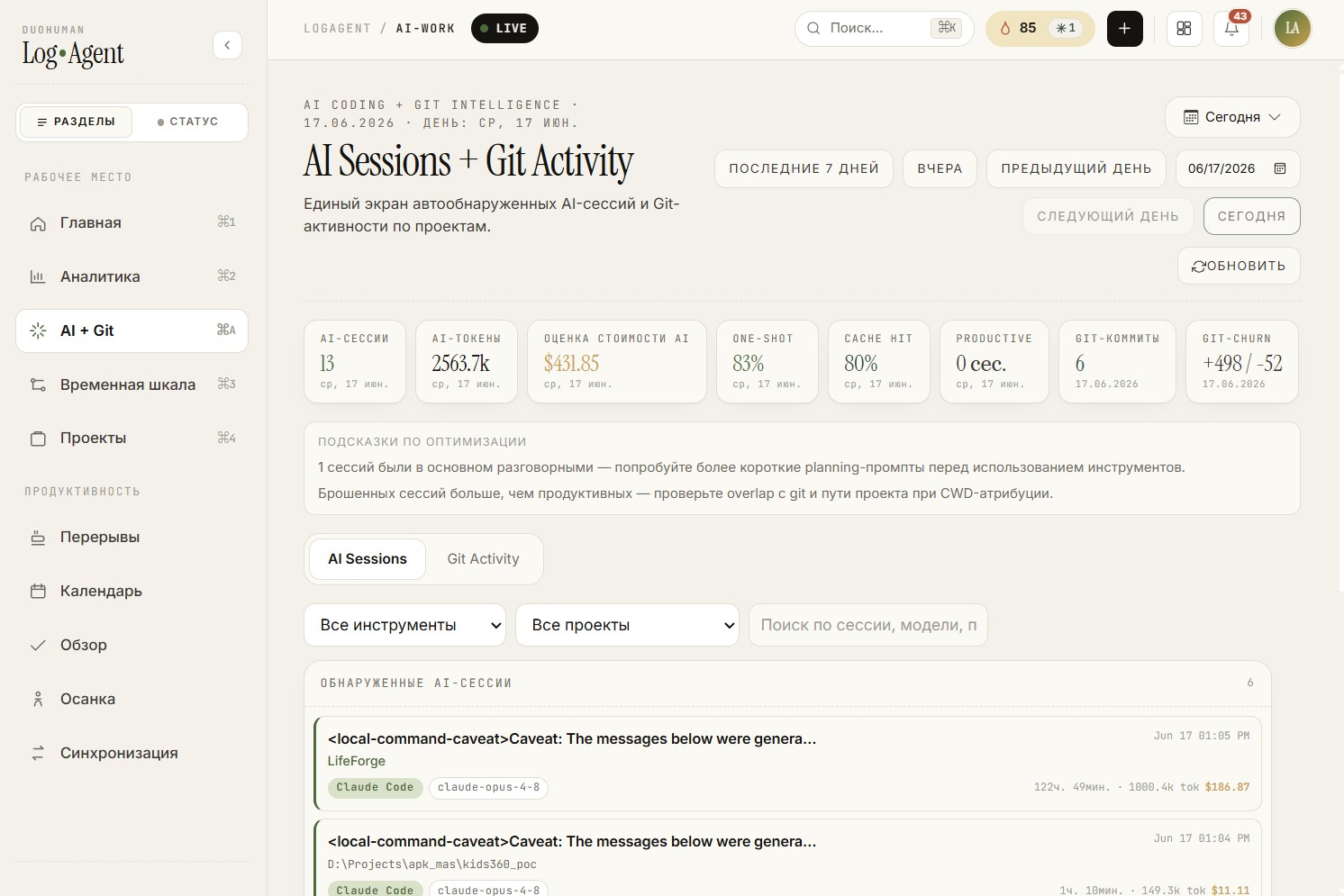
In 2026 a developer often works far beyond the classic IDE: Cursor, Claude Code, Codex, OpenCode, Grok + terminal, browser, docs, issue tracker and git. From the outside it looks like "browser and VS Code"; in reality it's a full AI-assisted session.
LifeCopilot is a layer over AI-native work: sessions, tokens, prompts, what landed in commits, how much time review and fixes took. You see where AI sped things up, where it looped, where there were many tokens and little result. Here "AI" is the object of analysis, not a neural net inside.
Money should flow from the real day
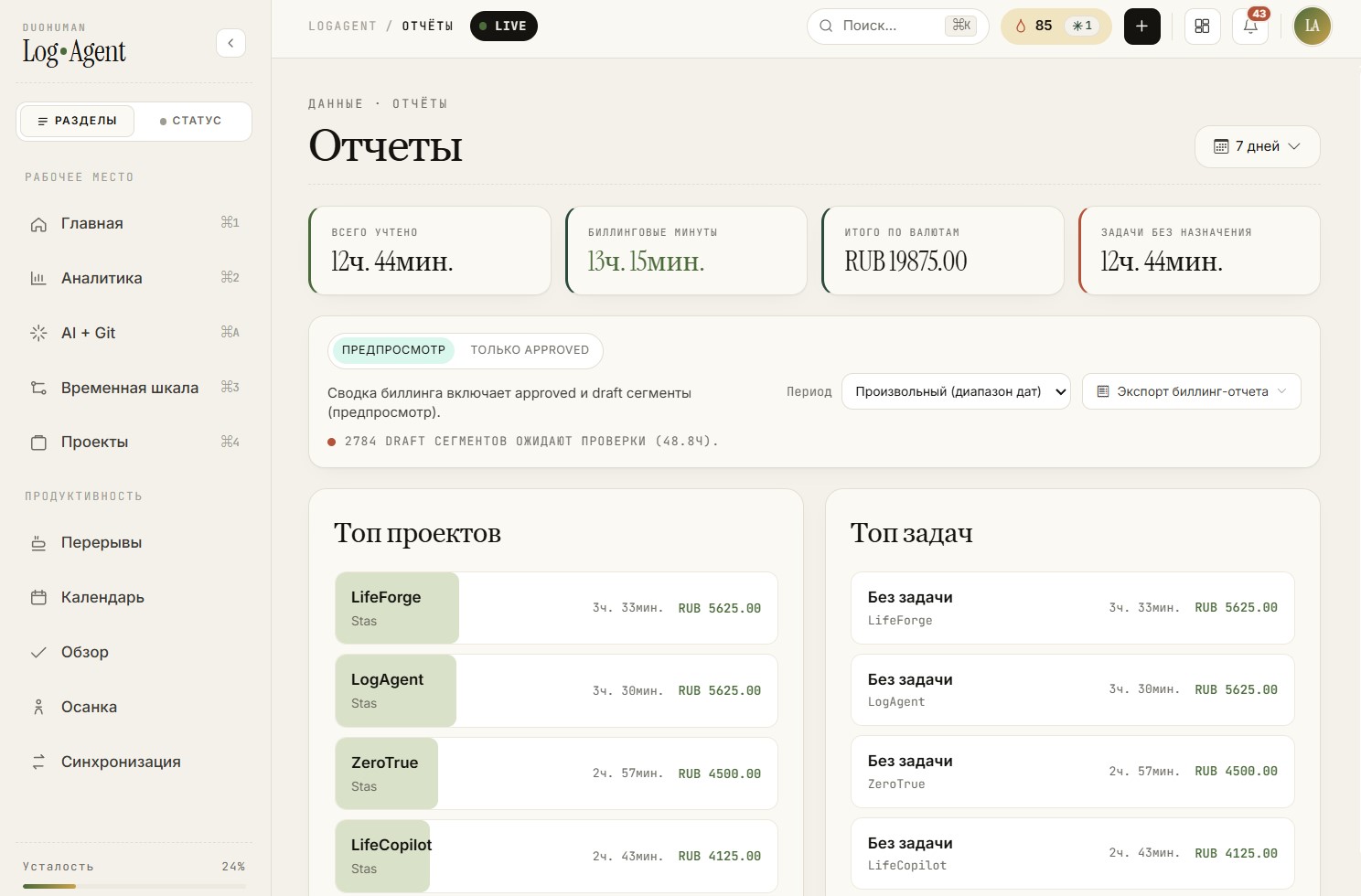
For freelancers and consultants the problem often isn't working too little — it's poorly capturing small segments. 18 minutes on a fix, 12 on a deploy check, 34 on research, 26 on messages. Trivial on their own; over a month it's real money.
LifeCopilot auto-groups work segments, links them to projects and clients, shows a confidence for each, optionally confirms disputed ones, and prepares a plan summary with "why this time is billable" notes. Every number in the day can be expanded down to the signals behind it.
History makes the picture reliable
A single day is thin context for a trustworthy analysis. A week of stable signals is already more valuable. After a month the agent notices patterns, correlations and anomalies. After three months there's a reliable base from which to build a realistic picture of the day.
Why this exact combination
Why put time planning, posture, breaks, git, billing and AI insights in one app instead of five separate tools? Because the problem lives between those tools.
Fatigue affects focus; focus affects quality. Switching affects task duration; duration affects billing and productivity. The camera and fatigue estimate explain state; breaks help you recover. Auto-planning drafts the day; manual confirmation improves classification. Together it gives an explainable day.
The first practical module of DuoHuman
LifeCopilot is the first practical component of a larger story called DuoHuman — a personal self-digitization ecosystem and personal life OS. That's a topic for a separate article.
I build it for myself, in public. Would you trust an app with your camera if you can verify frames aren't written or sent anywhere? Does a developer need analytics on fatigue, focus and AI sessions — or is that too much? Let's discuss.